Dashboard · Money
Reports
How the business is doing: revenue by month, how busy each vehicle is, where bookings come from, profit per vehicle, and statements for owners of consigned cars.
- Where
- Money → Reports
- Who can use it
- Owners, managers and accountants.
- Plans
- Every plan.
- Checked
- Sep 25, 2026
What you can do
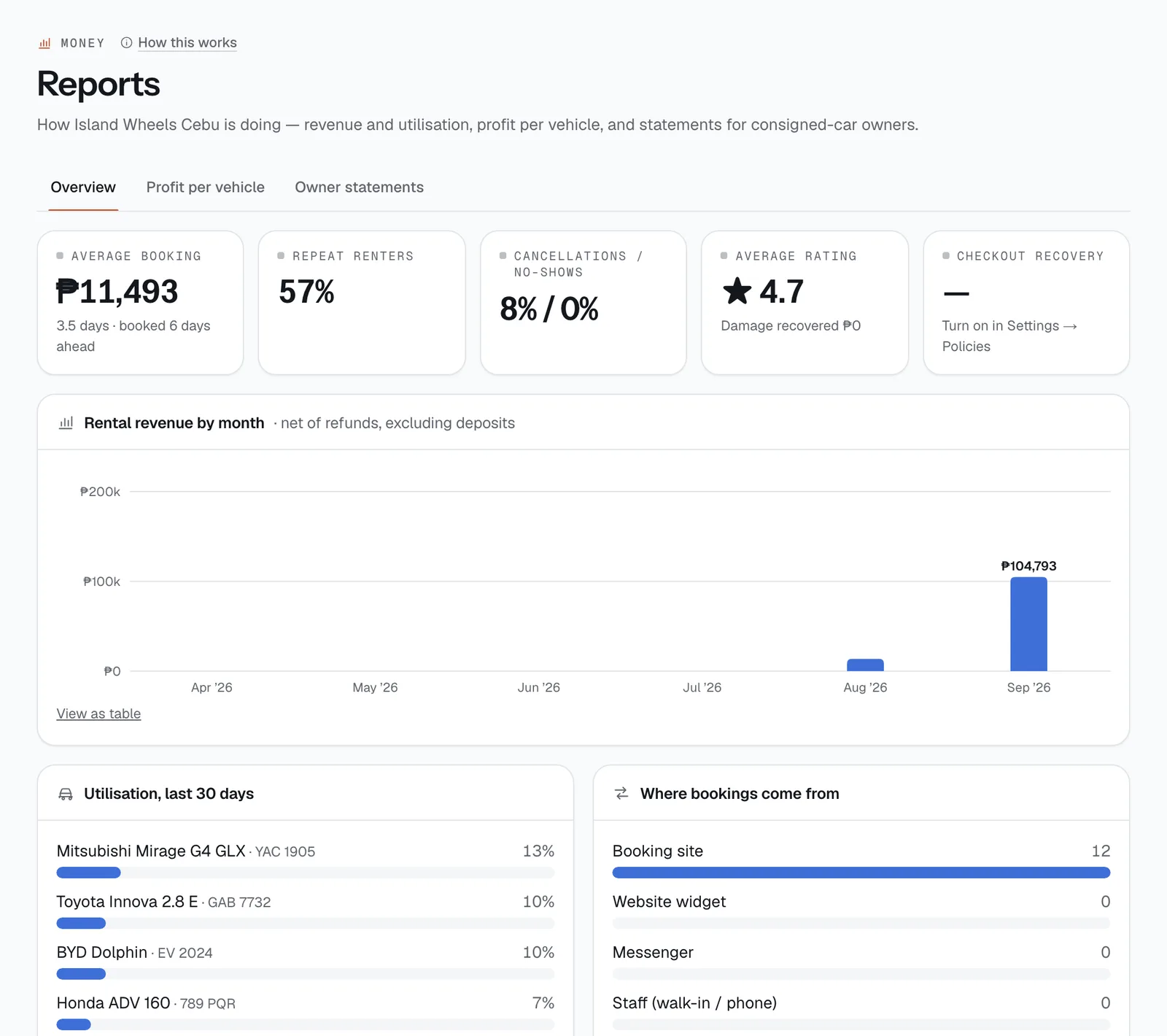
- On Overview, check Average booking, Repeat renters, Cancellations / no-shows, Average rating and Checkout recovery.
- See Rental revenue by month, Utilisation, last 30 days per vehicle and Where bookings come from.
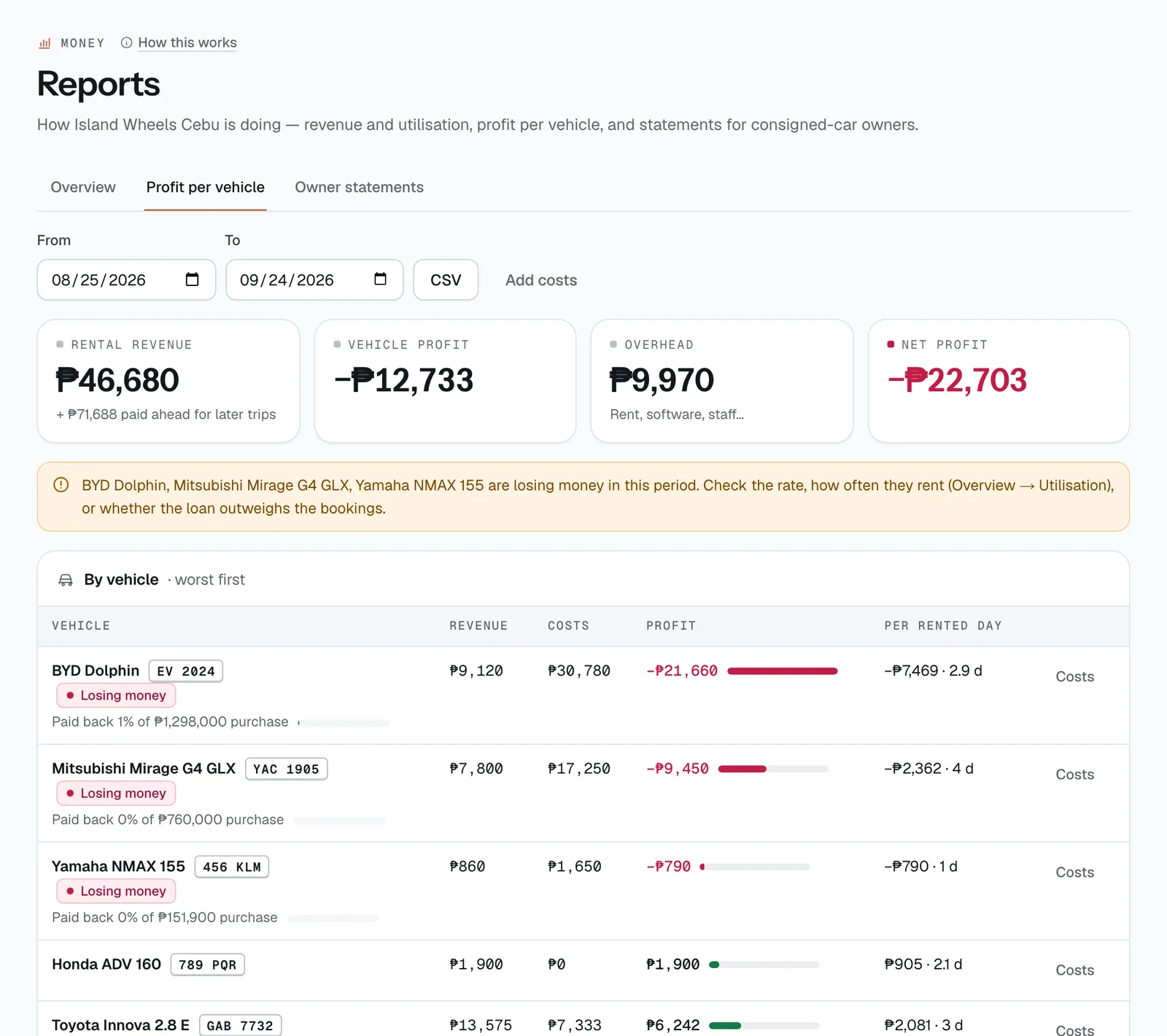
- On Profit per vehicle, pick From and To dates and see each car’s revenue, costs, profit and profit per rented day, worst first. Tap Costs on a row for the breakdown.
- Spot cars marked Losing money, and download the table with CSV.
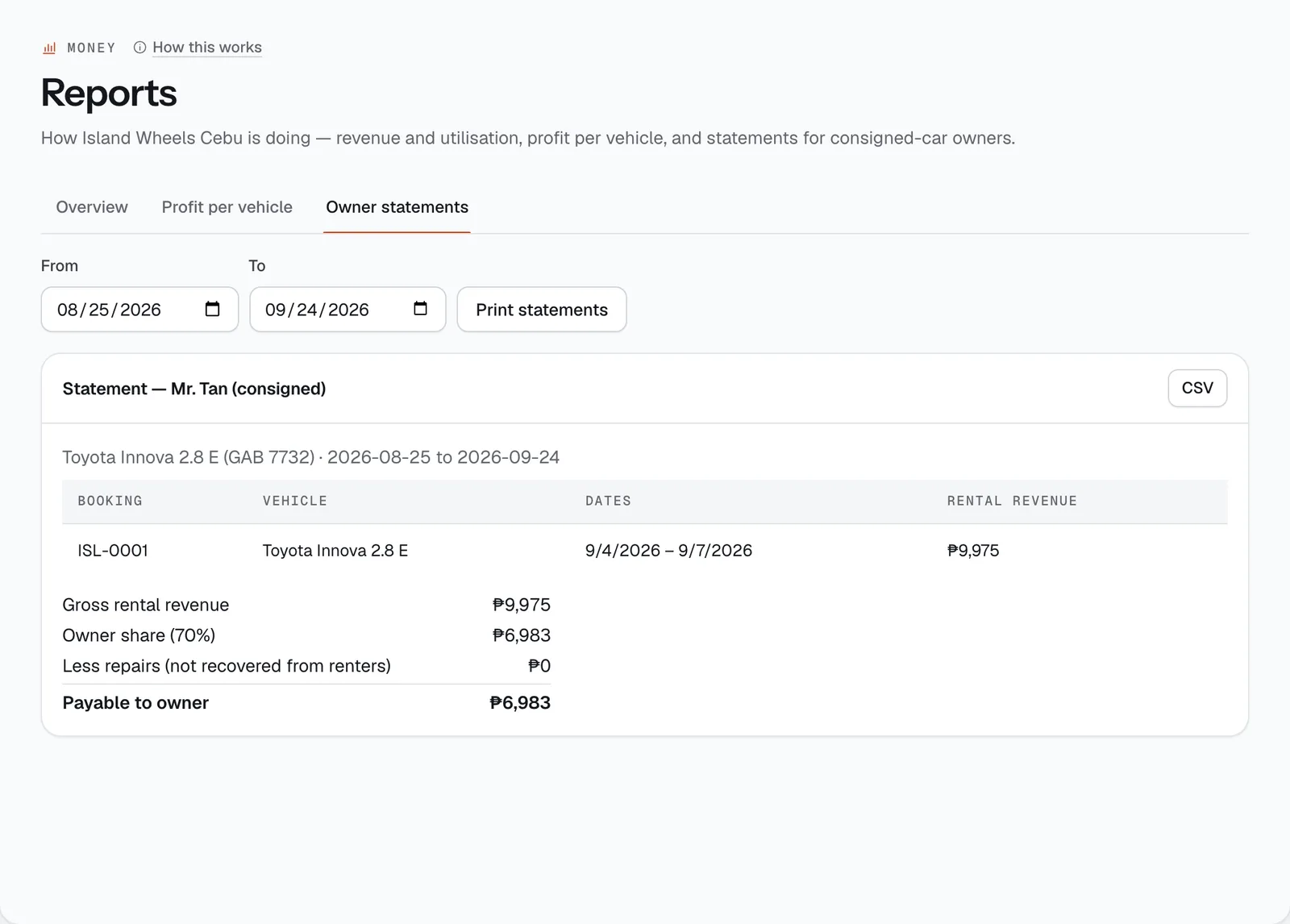
- On Owner statements, get a statement for each owner of a consigned car, then Print statements or download each one as CSV.
How it works
- Revenue means money actually received, net of refunds. Deposits are left out (they are the renter’s money) unless you kept part of one for damage. Charges billed after a return count when they are billed, not again when paid. Months follow Manila time. The chart shows the last 6 months.
- Utilisation is the share of the last 30 days each active vehicle was out on rent, from actual pickup to actual return.
- Where bookings come from counts bookings by source: Booking site, Website widget, Messenger, Staff (walk-in / phone) and Klook.
- Profit per vehicle counts a booking’s money from the day the trip starts, so a two-week booking paid in advance doesn’t inflate this month (the tile shows money paid ahead for later trips separately). Costs are your expenses, repairs from the repair log, and the owner’s share for consigned cars. Net profit is vehicle profit minus overhead. The dates default to the last 30 days.
- If you enter a Purchase price on a vehicle, its row shows how much of it the car has paid back so far. Loan payments count as a cost in the profit column, but as paying for the car in the payback bar.
- Owner statements appear once a vehicle has an Owner (if consigned) set in its details. For each booking that started in the dates you pick, the statement lists the rental amount (rental and discounts only — no add-ons, fees or deposits), then Gross rental revenue, Owner share (70% unless you set another share on the vehicle), Less repairs (not recovered from renters) and Payable to owner.
- Checkout recovery shows how many reminder emails brought renters back to finish a booking. Turn it on in Settings → Policies.
- CSV
- Costs
- Print statements
Still not sure how it works?
Ask a person, in Filipino or English — Mon–Sat, 8:00–20:00 PHT.