Dashboard · Workspace
AI skills & credits
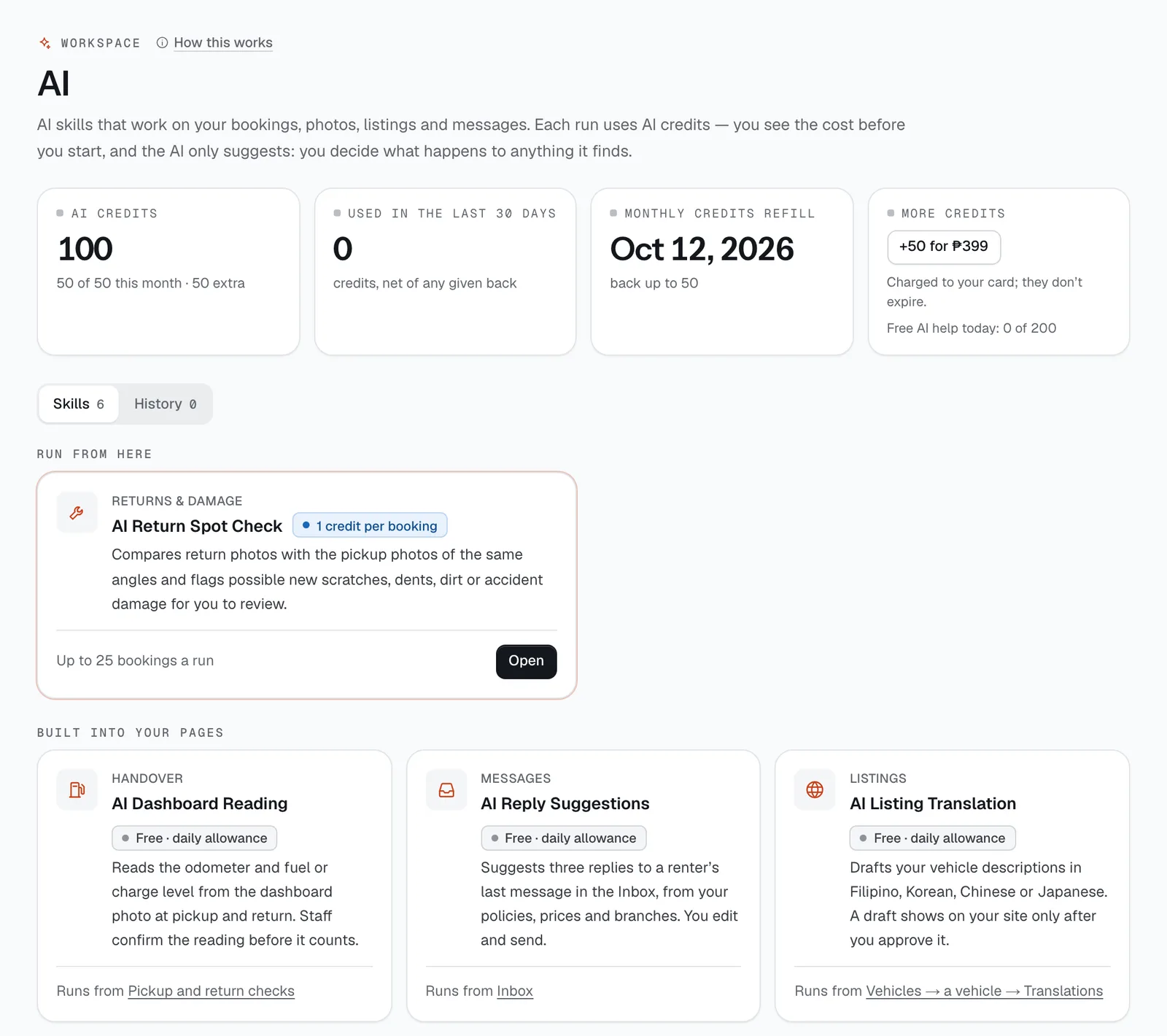
The home of CeeRent’s AI: every AI skill, the AI credits they use, and a history of everything the AI did. AI only ever suggests — it never charges a renter or changes a price; you decide what happens to what it finds.
- Where
- Workspace → AI skills & credits
- Who can use it
- Owners, managers and front desk run the spot-check and act on its findings. Field staff and drivers use the AI buttons on the checks they do. Support sessions can see runs but not spend credits here.
- Plans
- Every plan, with AI credits included each month; more in packs of 50 for ₱399.
- Checked
- Sep 25, 2026
What you can do
- See your AI credits: this month’s allowance from your plan, extra credits you bought, and when the allowance refills.
- Browse the skills on the Skills tab — what each does, what it costs, and where it runs.
- Open AI Return Spot Check, filter returned bookings (status, when they came back, evidence, branch), tick the ones to check and tap Run AI process.
- Go through a run’s findings: see the flagged photo at pickup and return, then Review charges, Log in repair log, Create inspect task or Dismiss.
- Look back at every run on the History tab: the skill, who ran it, how many records, the credits used and given back, and the result.
- Buy a pack of 50 credits with +50 for ₱399 (owners).
How it works
- Skills. The Return Spot Check runs from this page on up to 25 bookings at once, or from AI spot-check vs pickup on a return check. The other skills run from the page they help with: dashboard reading on handover checks, reply suggestions in the Inbox, rule drafting in Automations, listing translations on a vehicle, and the weekly note on Reports.
- Credits. The spot-check uses 1 credit per booking; the helpers are free, up to 200 uses a day. You see the estimate before you run, and it’s taken when the run starts. A booking the AI couldn’t check — or whose photos changed while it worked — gets its credit back.
- Allowance. Every plan includes AI credits each month (Starter 20, Standard 50, Plus 150; a trial 20), topped back up every 30 days — unused ones don’t pile up. Credits you buy don’t expire and are used after the month’s allowance.
- What happens automatically. On each booking checked, the spot-check leaves a note on the return check for your staff, and a car with a finding gets an Inspect for damage task in Turnaround. A return with AI findings isn’t closed automatically. Renters never see AI suggestions.
- What stays with you. Anything that touches money or the renter. A booking still Returned can have a finding added as a damage charge on its page; a closed one can’t be charged any more, so a finding goes in the repair log instead.
Still not sure how it works?
Ask a person, in Filipino or English — Mon–Sat, 8:00–20:00 PHT.