Dashboard · Operate
Claims & repairs
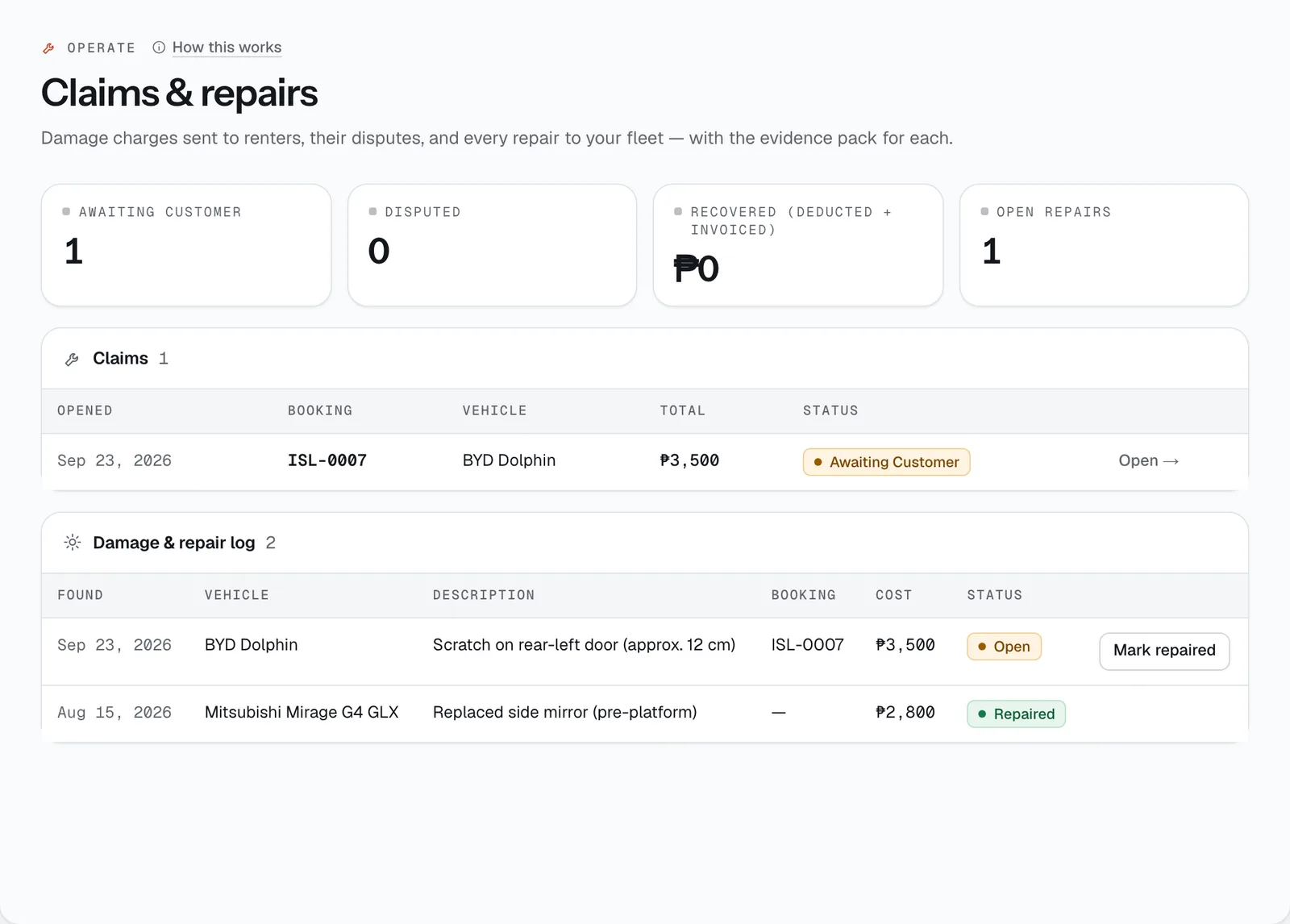
What happens after a return that isn’t clean: you confirm the charges, the renter sees them with photos and can accept or dispute, and the deposit is used only for what’s agreed. Every repair to your fleet is logged here too.
- Where
- Operate → Claims & repairs
- Who can use it
- Owners, managers and front desk review charges, send claims and decide disputes. Marking a repair as done is for owners and managers.
- Plans
- Every plan.
- Checked
- Sep 25, 2026
What you can do
- Review the charges CeeRent proposed at return, untick any you don’t want, and add damage with an amount and an evidence photo.
- Send everything to the renter with Send … in charges for review, or finish with Close as clean return.
- Decide a dispute: Uphold, Reduce to… or Waive, with a reason.
- Print the Claim pack for your insurer, a lawyer or the renter.
- Send the evidence to the payment provider for a bank chargeback, or mark a claim as settled outside CeeRent.
- Keep the Damage & repair log and Mark repaired with the real cost from the shop’s receipt.
- Track totals: Awaiting customer, Disputed, Recovered (deducted + invoiced) and Open repairs.
How it works
- Step 1 — review (on the booking page). After a return with charges, possible damage or an AI flag, the booking shows Review return charges before anything is deducted. Proposed charges are ticked with their evidence (fuel, mileage, late return, missing add-ons, tolls). AI suggestions appear separately and are not charged unless you add them — tap Use to copy one into the damage form. Under Add damage, fill What’s damaged, Amount (₱) and the Evidence photo, then Add. Add a Repair estimate (optional) if you have one.
- Step 2 — the renter responds. They see every charge with its photos and have 48 hours to accept or dispute (with a comment and a photo). If they don’t respond in time, the charges stand. Unticked charges are waived.
- Protection cap. If the renter chose a protection plan, damage above its maximum out-of-pocket amount is taken off automatically, shown as a Covered by … protection line. Fuel, late and mileage charges aren’t capped.
- Step 3 — money. The agreed amount is taken from the deposit (from the hold, or kept from a paid deposit) and the rest of the deposit goes back. Anything above the deposit is invoiced, and you can send it with a payment link from the booking. The booking then closes.
- Disputes. A disputed claim shows the renter’s comment. Choose an outcome, write the reason and tap Decide; the renter is told. If they still disagree, Still disputed — settle outside platform marks it as settled between you directly. CeeRent provides the evidence but doesn’t decide who is right.
- Send evidence for a bank chargeback sends the photos, signed agreement, claim and the renter’s replies to the payment provider for the bank’s review. You can send it once per claim.
- Damage items with a photo, or described as damage, a scratch or a dent, are added to the repair log for that vehicle. The vehicle’s own Damage & repairs tab shows the same history.
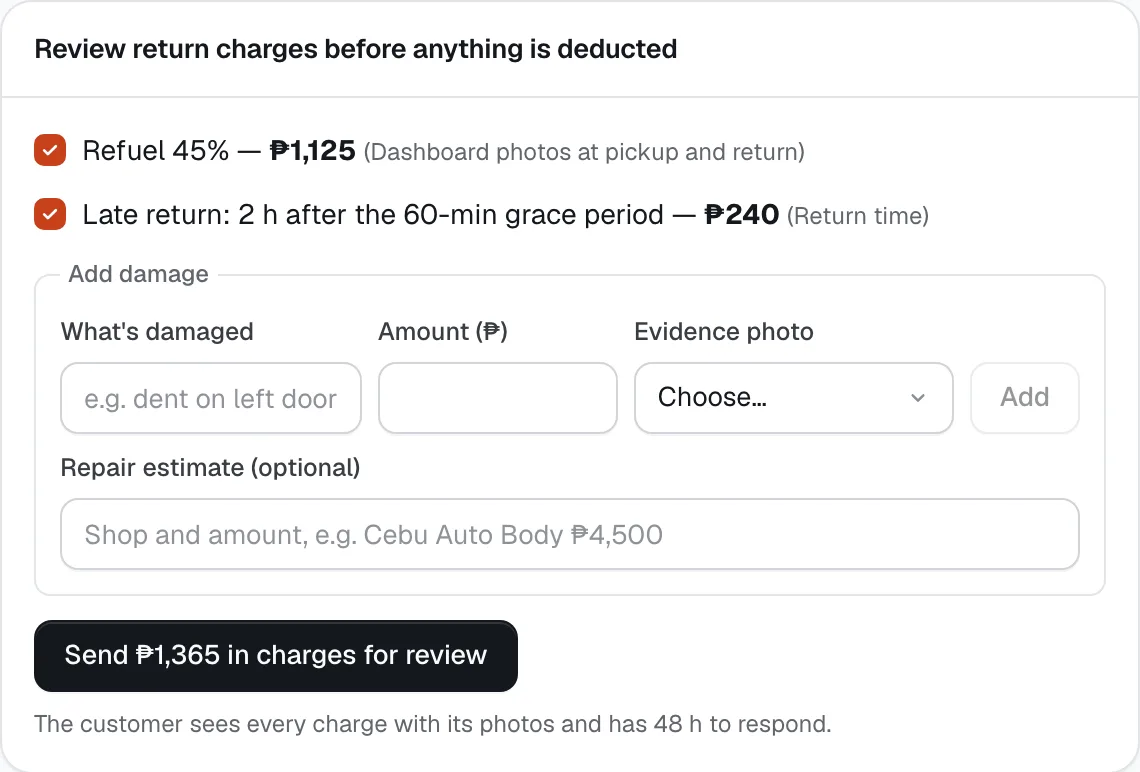
- Proposed charge
- Add damage
- Send charges for review
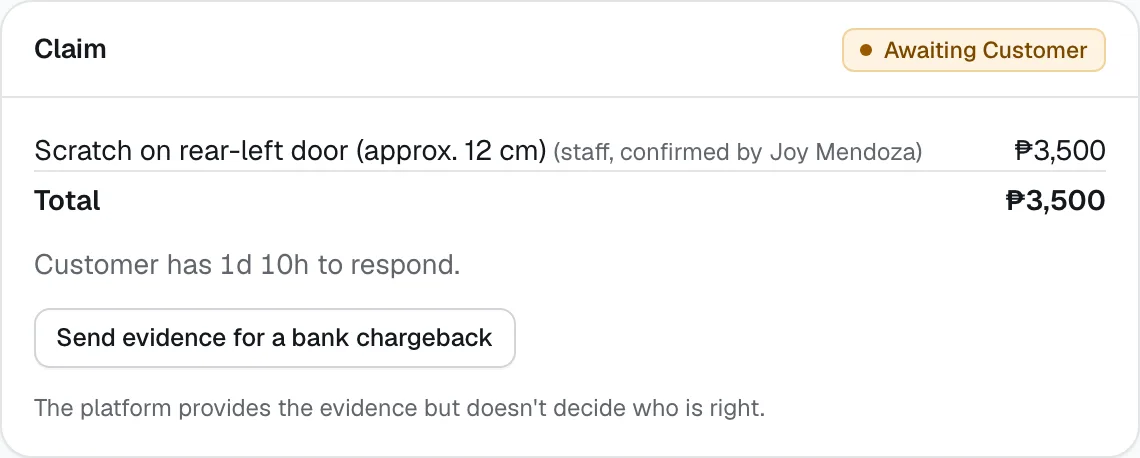
- Send evidence for a bank chargeback
Still not sure how it works?
Ask a person, in Filipino or English — Mon–Sat, 8:00–20:00 PHT.