Dashboard · Fleet
Maintenance & paperwork
Reminders for the three things that keep a unit legal and running: oil changes by odometer, LTO registration and insurance expiry. You see what’s due before it becomes a problem.
- Where
- Fleet → Maintenance & paperwork
- Who can use it
- Owners and managers.
- Plans
- Every plan.
- Checked
- Sep 25, 2026
What you can do
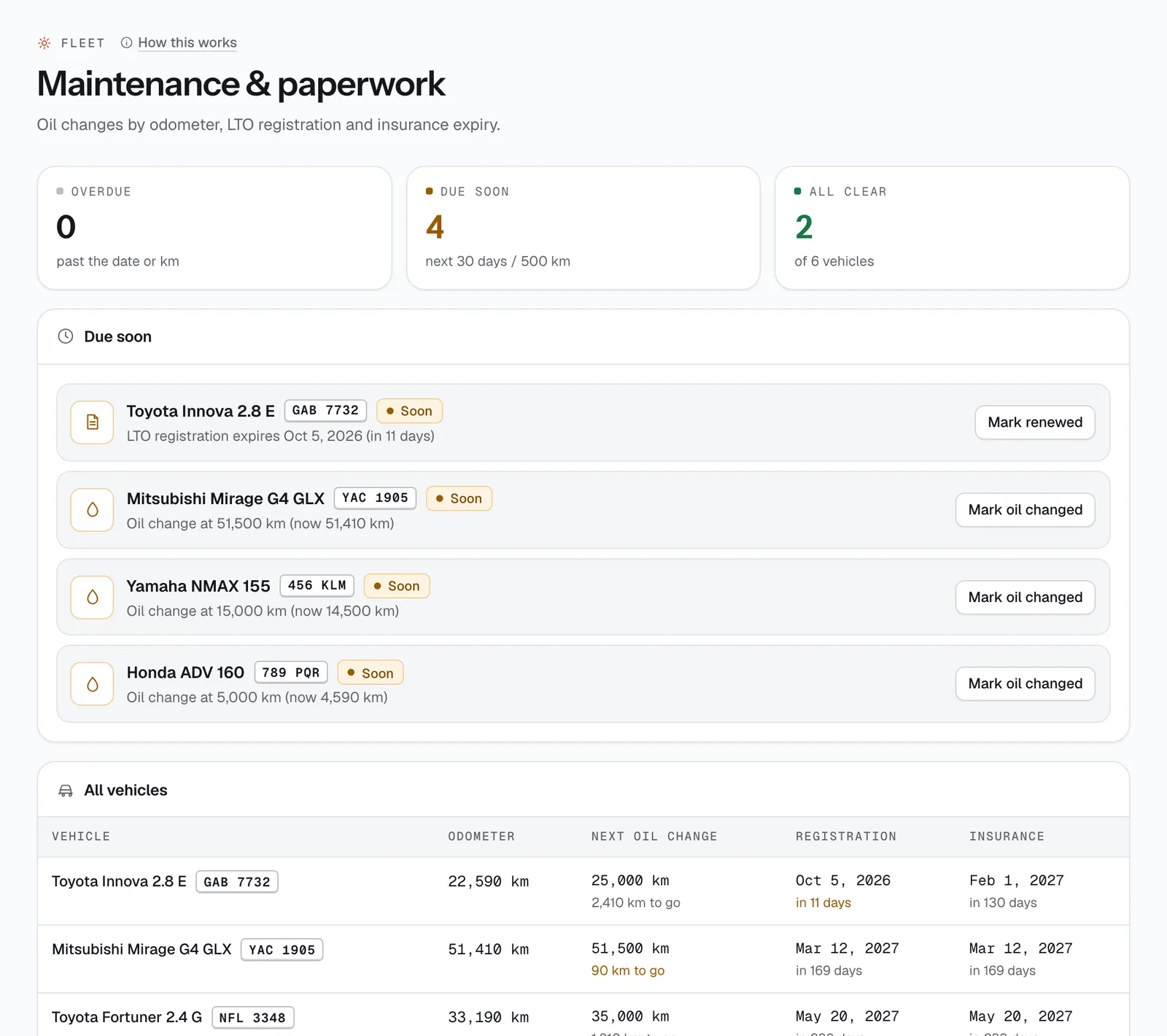
- See at a glance how many units are Overdue, Due soon and All clear.
- Work through the Due soon list: each line says the vehicle, what’s due and when.
- Record an oil change with Mark oil changed and set the km for the next one.
- Record a renewal with Mark renewed and the New expiry date.
- Check every unit’s odometer, next oil change, registration and insurance dates in the All vehicles table, and open a vehicle from there.
How it works
- When something shows up. An oil change appears when the odometer is within 500 km of the next oil change. Registration and insurance appear 30 days before they expire. Anything past its km or date is Overdue and shown in red.
- Only units that are listed for booking are checked. Electric vehicles don’t get oil-change reminders.
- In the table, dates turn amber within 30 days and red once passed, with “in 12 days” or “3 days ago” underneath. The oil column shows “km to go” or “km over”.
- Mark oil changed suggests the next change 5,000 km after the current odometer. You can change it, but it has to be more than the current reading. Mark renewed suggests one year from today.
- The odometer updates from the reading staff enter at each return, so you don’t need to type it in yourself.
- You also get one staff alert per reminder (listed in Sent messages), so a due date isn’t missed on a busy week.
- The dates come from each vehicle’s Maintenance & tracking fields; edit them there any time. Registration and insurance dates also feed the LTFRB & LTO checks.
Still not sure how it works?
Ask a person, in Filipino or English — Mon–Sat, 8:00–20:00 PHT.