Dashboard · Workspace
Audit log
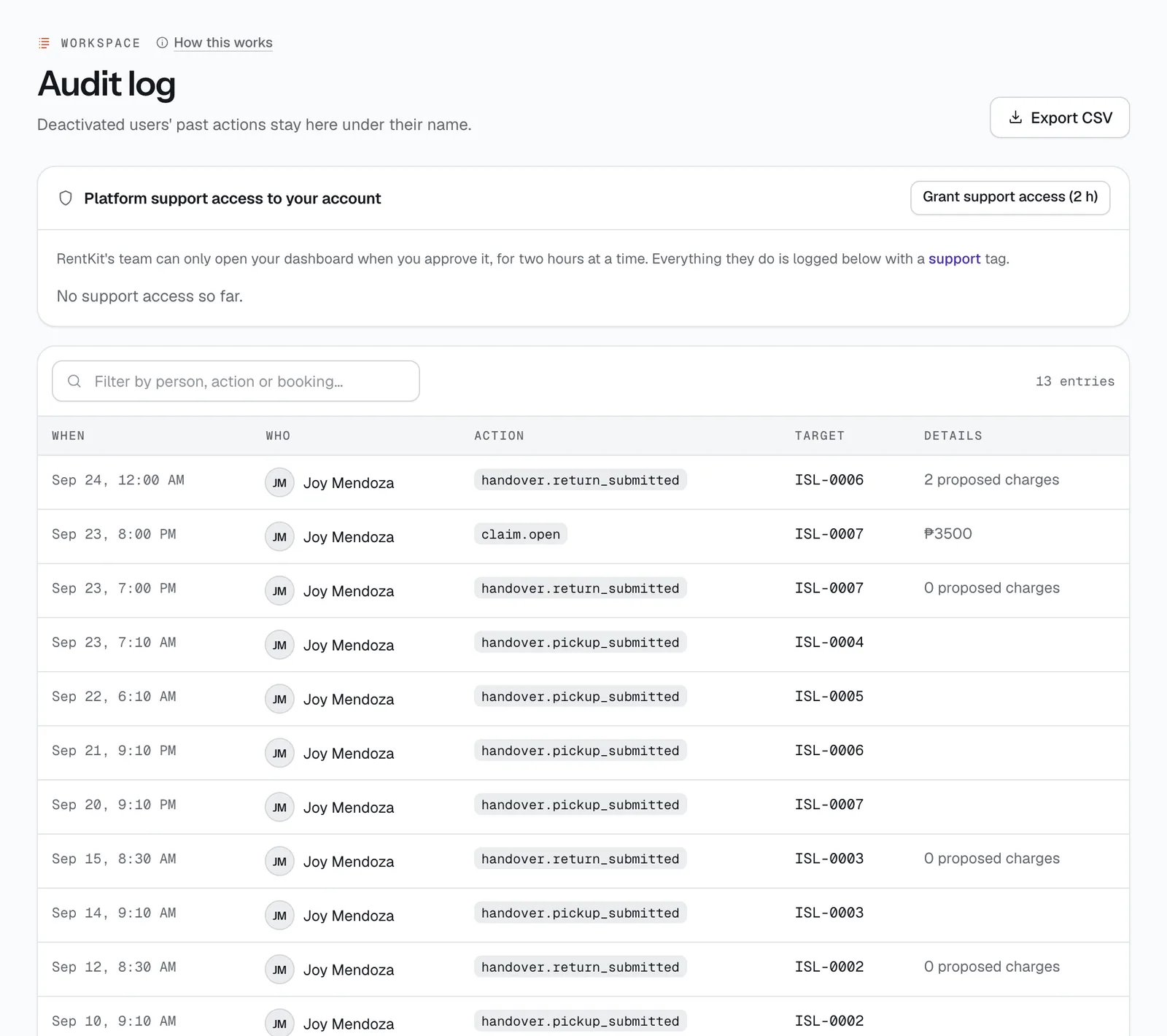
A record of who did what in your account: every staff action on bookings, money, settings and users, and every time CeeRent support looked in. Use it to settle “sino nag-refund nito?” in seconds.
- Where
- Workspace → Audit log
- Who can use it
- Owners and managers.
- Plans
- Every plan.
- Checked
- Sep 25, 2026
What you can do
- Search by person, action or booking with Filter by person, action or booking….
- Download what you’re looking at with Export CSV.
- Let CeeRent support into your dashboard for 2 hours with Grant support access (2 h).
- Approve a support request with Approve, or end an active session with Revoke.
How it works
- Each line shows When, Who, the Action (a short code such as
booking.cancel,settings.policiesoruser.deactivate), the Target (a booking code, person or plate) and Details. Newest first. - Entries can’t be edited or deleted. Staff you deactivate keep their past entries under their name.
- Actions CeeRent takes by itself are shown as “System”. What renters do themselves, like cancelling on your booking site, shows in the booking’s own history instead.
Support access
CeeRent’s team can only open your dashboard when you allow it, for 2 hours at a time.
- Ask us for help, then press Grant support access (2 h), or Approve a request from our team. A request shows who is asking and why, and you get an alert about it.
- While access is active, it shows with a live dot and its start and end times. Press Revoke to end it early.
- Everything support does is logged here with a violet support tag, so you can see exactly what was done.
- Support works as a manager would, except that it can't invite, change or deactivate staff, export your data, change your custom domain, payment account or owner payouts, or touch your subscription. Those stay with you.
Still not sure how it works?
Ask a person, in Filipino or English — Mon–Sat, 8:00–20:00 PHT.