Dashboard · Money
Payment links
Get paid for a booking made by phone or chat, a balance, charges after a return, or anything else — by sending a link, or by showing a QR Ph code the renter scans at the counter.
- Where
- Money → Payment links
- Who can use it
- Owners, managers and front desk. Field staff and drivers can show the QR Ph code for a booking they are handing over.
- Plans
- Every plan. You need a verified payment account (Xendit).
- Checked
- Sep 25, 2026
What you can do
- Send a link for what a booking owes with Send payment link on the booking. It fills in the amount and updates the booking by itself when paid.
- Hold a car for a phone or Messenger booking and send a link, from New booking with Not paid yet — hold the car and send a payment link.
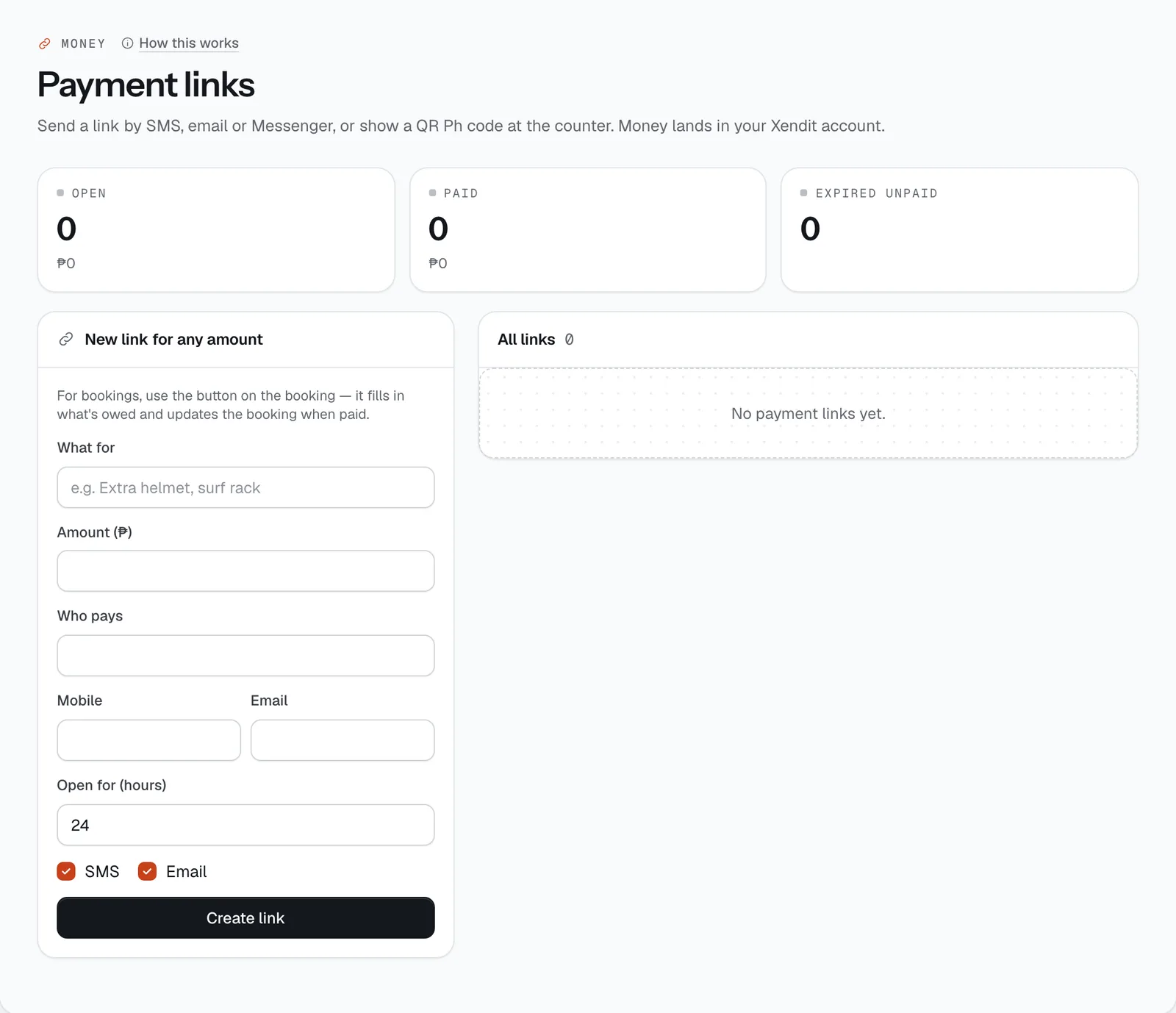
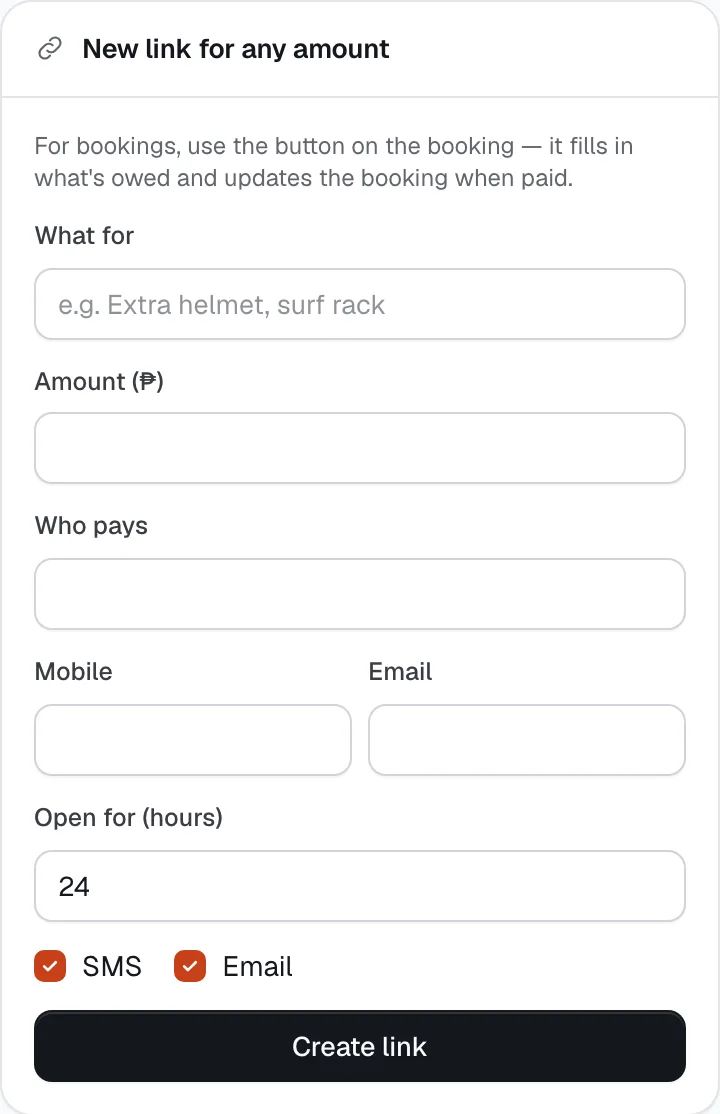
- Make a link for any amount under New link for any amount — an extra helmet, a surf rack, a fee you agreed by phone.
- Show a QR Ph code at handover with the QR Ph button on the handover screen. The renter scans it with any bank or e-wallet app.
- Send a link inside a chat with Send a payment link in this chat in the Inbox.
- Open any link to copy it, see its QR code, Resend SMS, Resend email, Open pay page ↗ or Cancel link.
- Track the totals at the top: Open, Paid and Expired unpaid.
How it works
- You need a verified payment account first. Until Settings → Payment account is verified, CeeRent won’t create links and asks you to connect it.
- Links for a booking ask for exactly what is owed right now, in this order: the booking payment if the car is only held, then any remaining balance, then charges billed after the return. For long-term rentals it’s the oldest period due. You can keep a booking link open from 1 to 72 hours (24 by default; 6 when you hold a car from New booking; 1 for the QR Ph button). Only one open link per amount owed — if one exists, resend it instead.
- A booking link holds the car. Instead of the usual 15-minute hold on your site, the car stays reserved for the renter until the link expires. If it isn’t paid in time, the booking expires and the car is free again.
- Links for any amount need at least ₱20, a short “What for” and a name under Who pays. In the dashboard form you can keep one open for 1 to 72 hours. Links CeeRent makes for company invoices stay open for the invoice’s payment terms plus 14 days.
- If you enter a mobile number and tick SMS, or an email and tick Email, the link is sent straight away. The text reads like “Island Wheels Cebu: pay ₱1,500 for Extra helmet at ceerent.com/pay/… (until …). Only pay through this link.”
- What the renter sees: a page on ceerent.com with your business name (and the Verified by CeeRent mark if you have it), what it’s for, the amount and a countdown. They choose GCash, Maya, QR Ph, Card or Over the counter. The page warns them not to pay requests from any other address, and links to a check of your business.
- When the renter pays, the money goes to your Xendit account, the booking updates, an official receipt is issued and the renter gets an email with the receipt number. You get a notification.
- If what’s owed changes after you send a link (say you took cash at the counter), the old link refuses to charge and tells the renter to ask you for a new one — nobody pays twice.
- Cancel link asks you to confirm; after that the renter can’t pay with it. Paid, expired and cancelled links stay in All links for your records.
- Open for (hours)
- Create link
Still not sure how it works?
Ask a person, in Filipino or English — Mon–Sat, 8:00–20:00 PHT.