Dashboard · Grow
Website & widget
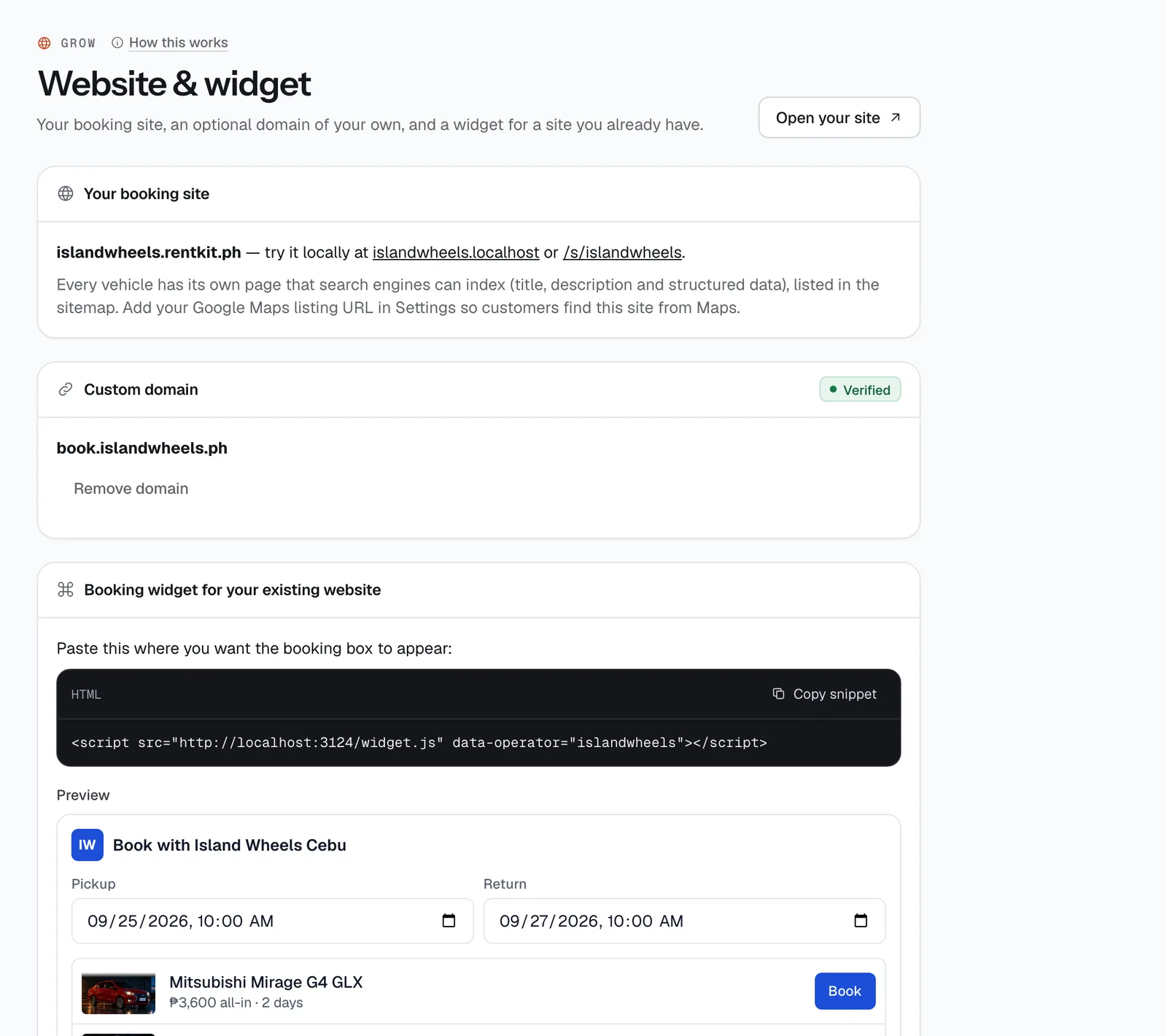
Your booking site’s address, an optional domain of your own, a booking box you can paste into a website you already have, and local tips for the road-trip guides renters read.
- Where
- Grow → Website & widget
- Who can use it
- Owners and managers.
- Plans
- Booking site and widget: every plan. Custom domain: included on Plus; on Starter and Standard it’s a ₱299 a month add-on you turn on in Subscription.
- Checked
- Sep 25, 2026
What you can do
- Find your booking site’s address —
yourname.ceerent.com— and open it with Open your site. - Use your own domain, like
bookings.yourbrand.ph: type it and tap Add, add the two DNS records shown, then tap Check DNS. - Take a domain off with Remove domain.
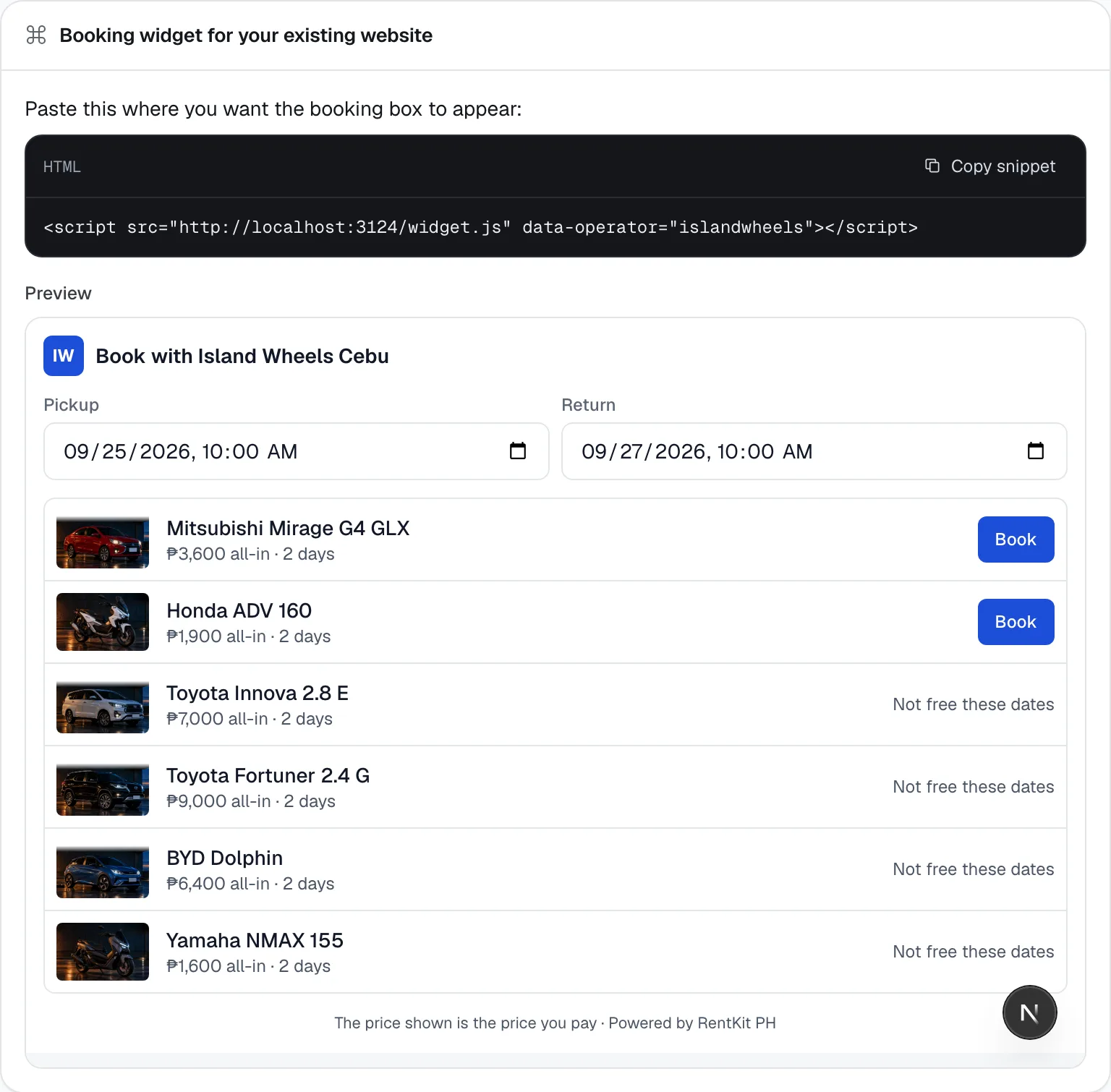
- Copy the widget code with Copy snippet and paste it into your existing website; see it working under Preview.
- Add your own tips to the road-trip guides for your city, like where to park or which gas station is open late.
How it works
- Your booking site lives at your CeeRent address from the day you go live. Every vehicle has its own page that Google can list (with title, description and details search engines read), and all of them are in your sitemap. Add your Google Maps listing in Settings → Business so people who find you on Maps land here. The design is changed in the Site Builder.
- Custom domain. After you tap Add the domain shows Waiting for DNS. At the company where you bought the domain, add two records. A TXT record proves the domain is yours: its name is
_ceerent-verify.plus the first part of your domain (_ceerent-verify.bookingsforbookings.yourbrand.ph) and its value is theceerent-verify=…code shown — your own code, new each time you add a domain. A CNAME record sends visitors to your site: the name is the first part of your domain (bookings) and it points tocname.ceerent.com. Then tap Check DNS; once it finds your TXT record the badge says Verified, and only then does your site answer at that domain. New records can take up to an hour to show. - A domain can only belong to one CeeRent business. If you remove it, links to it stop working right away, but your site stays live at your CeeRent address.
- The widget is one line of code:
<script src="https://ceerent.com/widget.js" data-operator="yourname"></script>(the dashboard fills in your name). Paste it where you want the booking box. It shows “Book with” your business name, a date picker and your vehicles with the all-in price for those dates. Book opens that vehicle on your booking site with the dates filled in; vehicles already taken show “Not free these dates”. The box grows to fit, so it doesn’t need scroll bars. - Bookings that start from the widget are counted as “Website widget” in Reports.
- Road-trip guides are ready-made routes renters see under “Road trips” on your site, for cities that have them — today Cebu, Makati and Baguio. The card only appears when the City in Settings → Branding has guides. Type a tip under a route and tap Add (5 to 280 characters); renters see it with the route.
- Copy snippet
Still not sure how it works?
Ask a person, in Filipino or English — Mon–Sat, 8:00–20:00 PHT.